
Every time you install Linux, the installer slips in a question almost nobody stops to read: which filesystem do you want to use? Behind that choice sit decades of engineering and a technical debate that is still very much alive. ext4, Btrfs and ZFS take three different approaches to storing and protecting your data. Let’s look at what makes each one special and which suits you best.
What a filesystem actually does
A filesystem is the structure that turns the raw bytes on your disk into something coherent: folders, permissions, timestamps, names. Modern filesystems do far more than tidy files, though. They make sure that if the power dies mid-write your system isn’t left corrupt. They catch silent hardware errors. And some of them let you travel back in time with snapshots of the whole disk.
Choosing well affects performance, data safety and the features you get. A desktop laptop and a server with twelve disks in RAID are very different beasts.
ext4: the reliable veteran
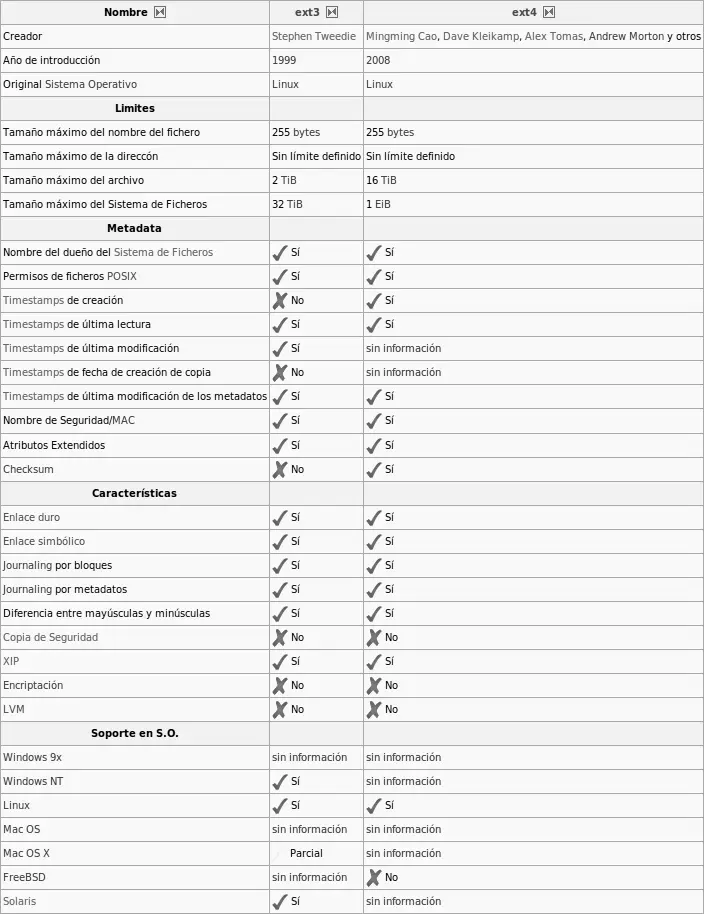
ext4 has been the default filesystem for years across much of the Linux world, and for good reason: it just works. It was declared stable in kernel 2.6.28, released on 25 December 2008, as the evolution of ext3 and ext2.
Its great virtue is being boring, in the best sense. It is mature, fast, predictable and battle-tested on millions of machines. Journaling lets it survive power cuts, it handles huge files and volumes, and pretty much every recovery tool knows how to read it. Install Ubuntu or Debian and leave the defaults alone, and you’ll most likely end up on ext4.
Where’s the limit? No native snapshots, no data checksums, no built-in volume management. Plenty of users never miss any of that. For others, those missing pieces are exactly what they need.
Btrfs: copy-on-write and snapshots for everyone
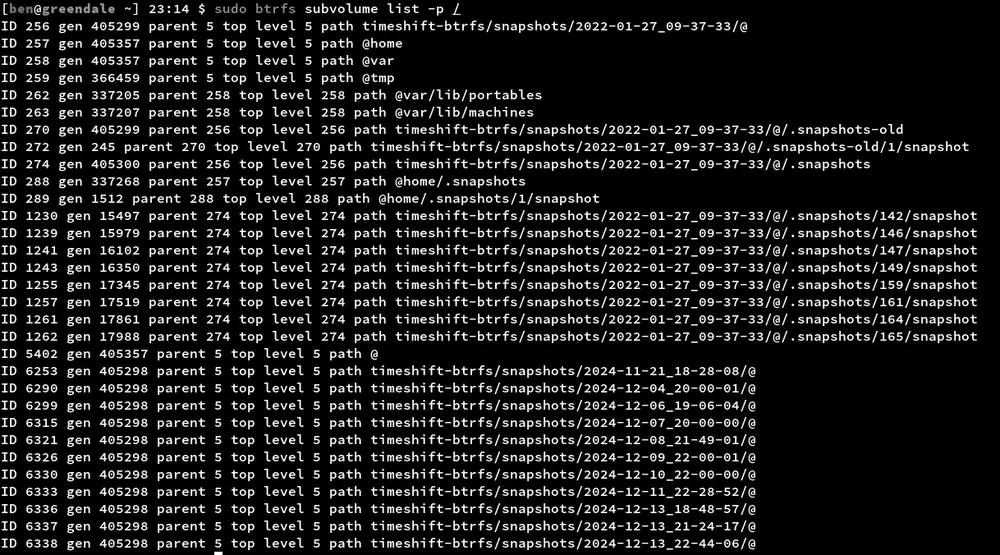
Btrfs (pronounced “butter FS” or “better FS”) was born to bring the modern features ext4 lacks straight into the Linux kernel, under a compatible licence. Its core trick is copy-on-write: when you change a file, the original block stays put; the new data goes somewhere else and the reference is updated. That makes snapshots almost instant and cheap.
With Btrfs you can create subvolumes, snapshot your system before an upgrade and roll back in seconds if something breaks. It also computes checksums on data and metadata to catch silent corruption, and ships its own RAID handling and transparent compression.
The clearest sign of its maturity is that top-tier distributions adopted it by default. Fedora made it the desktop default starting with Fedora 33 in 2020, and openSUSE has used it by default for years, pairing its snapshots with tools like Snapper. It lives inside the kernel tree itself, in fs/btrfs/, so it gets the same maintenance and release cadence as everything else.
ZFS: the tank that came from Solaris
ZFS plays in a different league. It was created at Sun Microsystems for Solaris and merges filesystem and volume manager into a single piece. Its reputation for toughness is legendary: end-to-end checksums, self-healing data when redundancy is present, its own RAID-Z, snapshots, clones, compression and deduplication. For serious storage and data servers, many people use nothing else. Its open successor, OpenZFS, keeps the project alive on Linux, BSD and macOS.
Here’s the famous catch. ZFS ships under the CDDL licence, considered incompatible with the Linux kernel’s GPL. That’s why it can’t be folded into the official kernel and goes out as an out-of-tree module instead. In the BSD world the picture is different: FreeBSD integrates OpenZFS natively and as a first-class citizen, and it’s one of its big selling points.
XFS and the question of which to pick
It doesn’t end with these three. XFS, another high-performance veteran built for large files, is the default on RHEL and its rebuilds such as AlmaLinux and Rocky Linux, and it’s a favourite for server workloads.
So which should you choose? If you want proven stability and don’t need the fancy features, ext4 is still an excellent bet. If snapshotting before every update and rolling back without drama appeals to you, Btrfs is the natural desktop pick. And if you run a storage server where the integrity of every single bit is sacred, ZFS on FreeBSD or as a Linux module is hard to beat. The good news is that on Linux you can hardly go wrong: all three are solid, and the choice comes down to your needs rather than any trend.