
Privacy stopped being a tinfoil-hat concern a long time ago. Journalists protecting their sources, activists living under hostile regimes, lawyers handling sensitive files, anyone who simply doesn’t want to leave digital traces: they all share the same real need, controlling what information leaves their computer. This is where Linux offers tools no commercial system can match. The point isn’t a friendlier desktop. It’s three radically different ideas of what it means to be safe from surveillance.
If you’re coming from mainstream systems like Ubuntu or Debian, get ready to shift your mindset. These distros don’t try to be comfortable. They try never to betray you.
Tails: the system that forgets everything
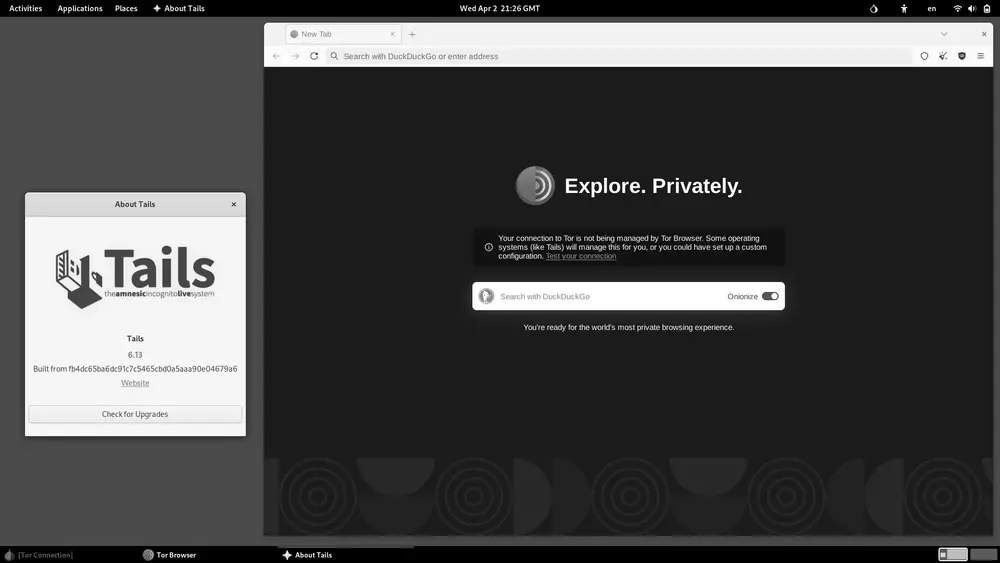
Tails is probably the best-known privacy distro in the world, and it earned that spot. The name is an acronym for The Amnesic Incognito Live System, and that one word, “amnesic”, sums up the whole philosophy. Tails boots from a USB stick, runs entirely in the computer’s RAM, and when you shut it down it leaves absolutely nothing behind: no history, no cache, no temporary files on the host machine’s disk. As if you had never switched the computer on.
The second thing that sets it apart is that all network traffic is forced through Tor. No application can reach the internet while bypassing the anonymity network: if something tries to connect outside Tor, it simply can’t. That kills off, at the root, the accidental leaks that so often expose careless users.
Built on Debian, the Tails 7.x branch is based on Debian 13 and ships with Tor Browser, the Electrum wallet, and the GNOME Secrets password manager. Edward Snowden used it during the 2013 leaks to communicate securely, and that gave it a reputation it still holds today. It’s the ideal choice for someone who needs to sit down at any computer, do sensitive work, and walk away without a trace.
Qubes OS: security by compartmentalization
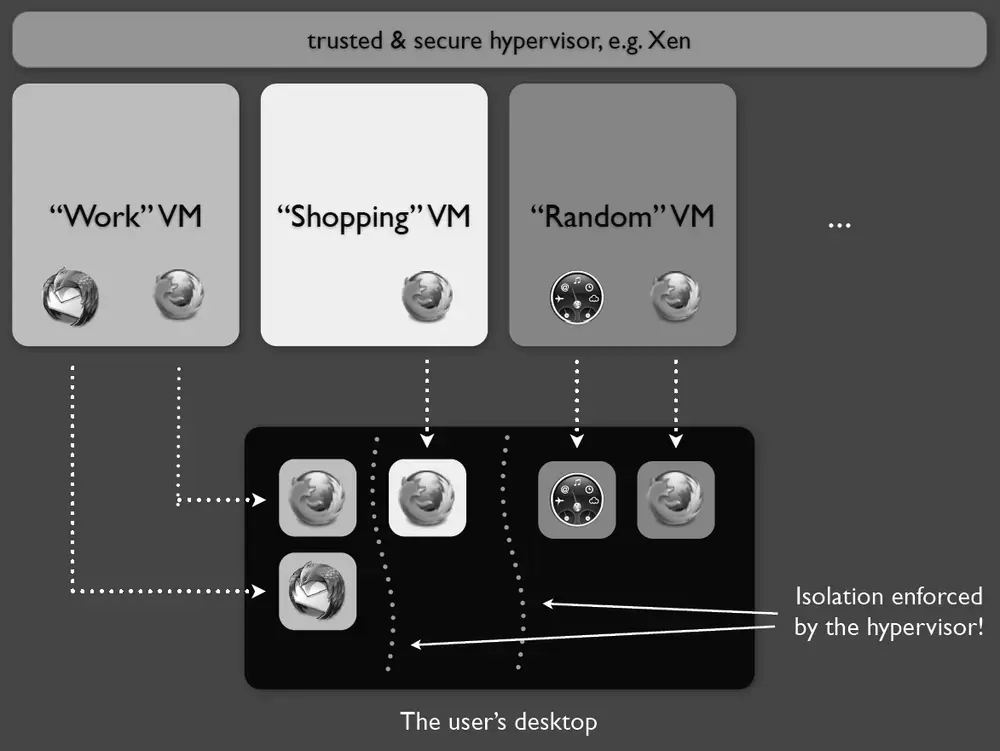
Where Tails bets on forgetting, Qubes OS bets on isolation. Its tagline says it well: “a reasonably secure operating system”. The idea, formulated by researcher Joanna Rutkowska in 2012, is called security by compartmentalization, and it starts from an uncomfortable but realistic premise. Assume that sooner or later something will be compromised, so the real job is to contain the damage.
To pull that off, Qubes runs every activity inside a separate virtual machine on top of the Xen hypervisor, the same software many large hosting providers use to isolate services from one another. Your email lives in one qube, your banking in another, everyday browsing in a third. Open a malicious PDF in a disposable qube and the rest of the system stays untouched. The separation is visual as well as technical: each window carries a colored border showing which trust domain it belongs to.
Snowden publicly recommended Qubes OS in 2016 and said he uses it as his primary OS. It’s neither a lightweight nor a casual distro, since it needs a fair amount of RAM and virtualization-capable hardware, but for anyone juggling multiple digital identities or high-risk material, there’s nothing quite like it. Unlike Fedora or Arch, here security isn’t an add-on. It’s the entire architecture.
Whonix: anonymity inside virtual machines
Whonix tackles the anonymity problem with a different kind of elegance. Instead of a single system, it’s two virtual machines working together: the Whonix-Gateway, which runs Tor and acts as the only door out to the internet, and the Whonix-Workstation, where your applications run on a completely isolated network.
The clever part is that the workstation never knows your real IP address. Even if an application is compromised or tries to “phone home”, it can only talk to the gateway, which forces everything through Tor. DNS leaks, one of the classic mistakes that give away unwary users, become impossible by design.
Whonix runs on hypervisors like VirtualBox and KVM, and it can also be integrated inside Qubes OS (the combination known as Qubes-Whonix), which brings together the best of both worlds: the compartmentalization of Qubes and the Tor anonymity of Whonix. The project is backed by support from the Power Up Privacy organization, and recent releases have noticeably reduced latency, which makes it more usable for real-time communication.
Which one should you choose?
There’s no single best distro in the abstract: it depends on your threat model. If you need occasional anonymity and want to leave no trace on a borrowed machine, Tails is unbeatable thanks to its live, amnesic nature. If you work daily with sensitive information and want to split your digital life into watertight compartments, Qubes OS is the fortress. And if your priority is robust, permanent Tor anonymity that you can run on top of your current system, Whonix fits perfectly.
Worth remembering: no tool is magic. Tor protects the traffic, but your habits can still expose you. Logging into your personal account through Tails undoes much of its protection. Privacy is as much about software as it is about discipline.
Beyond the specialized distros
Although these three are the gold standard, don’t forget the basics. Keeping a solid system like Debian or Fedora updated, encrypting your disk, and using unique passwords already puts you ahead of most people. General-purpose distros like Linux Mint or even Pop!_OS offer decent everyday privacy without the steep learning curve of Qubes.
For journalists and activists, though, moving to Tails, Qubes OS or Whonix is no overreaction: it’s a working tool. When data is currency and surveillance is routine, knowing that your computer isn’t working against you is, quite simply, freedom.