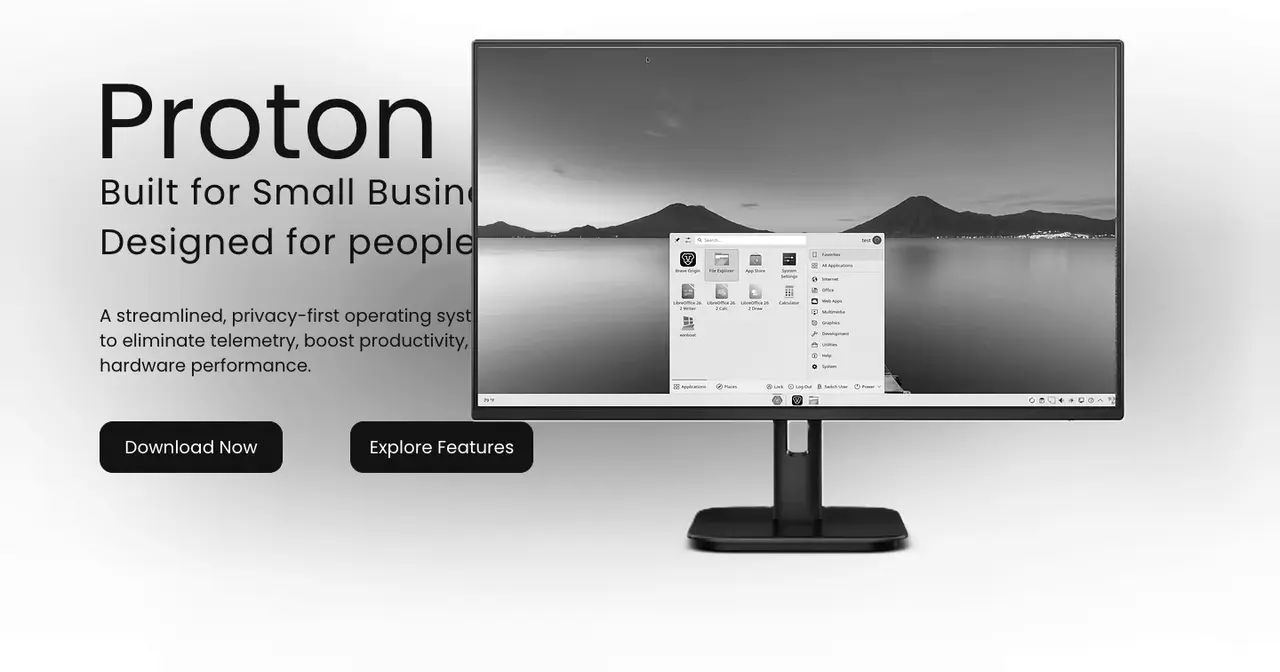
Someone asked us whether Proton OS deserves a page on LinuxGratis. It is a new Linux distribution built on Debian 13 “trixie” with KDE Plasma, pitched as the system for small businesses that want to leave Windows without retraining their staff. The short answer is not yet, but we went through the website, the downloads and the repository, and there are things worth telling, both good and less good.
First, the name. Proton OS has no known connection to Proton AG, the Swiss company behind Proton Mail and Proton VPN, even though both talk about privacy. Nor with Proton, Valve’s compatibility layer for gaming on Linux. And there is a different ProtonOS on GitHub, an experimental operating system written in C#. The distribution’s website mentions none of them.
Who is behind it
The official website, protonos.org, does not say who makes the distribution. LinuxLinks, which reviewed it on 22 August 2026, does: the developer is Christian Nieves, and the repository’s commits are signed “Christian” or come from the project account. It is a one-person project.
The dates tell the rest. The domain was registered on 11 August 2026, and the GitHub repository and the SourceForge project were created the next day. The repository has 22 commits, zero stars, zero forks and not a single issue, open or closed. On SourceForge, where the downloads live, it gets around 300 downloads a week across both editions.
What it ships
Proton OS is a remaster of the Debian 13 KDE live ISO. Its BUILD.md lays it out step by step: open the official image with Cubic (a tool for customising Ubuntu and derivative ISOs), tweak the login screen, the boot menu and the default user settings, install a few applications and generate the new ISO. There are no repositories of its own: packages come from Debian and from the Brave and ONLYOFFICE repositories.
What it adds on top of a freshly installed Debian with KDE:
- A Windows-like desktop, with a Start-style menu, a bottom taskbar and the Win10OS cursor theme, installed from a third-party GitHub repository.
- Two office suites: LibreOffice, already part of Debian, and ONLYOFFICE Desktop Editors, which handles Microsoft Office files better. It also has web shortcuts for Microsoft 365 and Teams.
- Brave as the browser and Variety to rotate wallpapers.
- WinBoat, which runs Windows programs inside a real copy of Windows in a Docker container with KVM, and shows them as standalone windows through FreeRDP. This is the most eye-catching piece for an office with accounting software that only exists for Windows. It does need virtualisation enabled in the BIOS, at least 4 GB of RAM free for the Windows machine and, of course, a licence for that Windows.
- Security switched on from the start: the UFW firewall blocks incoming connections, AppArmor is active with the base profiles (we explain it in SELinux and AppArmor), SSH is off and
unattended-upgradesinstalls only Debian’s security updates.
None of these pieces is new, and nearly all of it can be done by hand on a regular Debian in an afternoon. What Proton OS sells is having it done and documented, and for someone who does not know where to start, that has value. It is the same idea Zorin OS has defended for years, now at version 18.1 since April, with a team behind it and a much longer track record.
The requirements are modest: a dual-core 64-bit processor, 4 GB of RAM (8 recommended), 25 GB of disk and an 8 GB USB stick. There is only an x86_64 build.
A 1.0 already on its third image
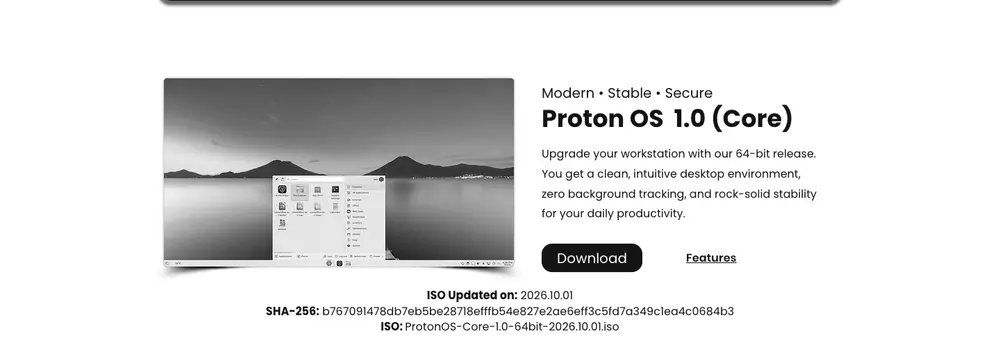
There are two editions: Core, the stable one, and Frontier, which according to the website ships Linux kernel 7.1 for newer hardware. The repository only documents Core; there is nothing on how Frontier is built.
Both are called “1.0”, but the ISO has changed three times. The GitHub README still cites ProtonOS-1.0-64bit-2026.08.19.iso, then came the 1 September images and, since 2 October, SourceForge carries the 1 October ones: the Core image weighs 4.2 GB. Each one is a new image with the same number, with no release notes and no tags in the repository, so there is no way to know what changed between them.
To check the download, the website publishes the SHA-256 checksum of each ISO. There is no GPG signature yet (the README says it is planned), and the checksum on GitHub belongs to the August image, not the current one. Trust the one on the download page. The website also calls the base “Debian 13 LTS”, which is not a name Debian uses: Debian LTS is something else, the programme that maintains old releases once their regular support ends.
The part that does not add up: a frozen kernel
This is the most important bit. Among the build steps, the repository’s packages/holds.txt file holds four packages with apt-mark hold:
apt-mark hold grub-efi-amd64-signed
apt-mark hold linux-image-6.12.101+deb13-amd64
apt-mark hold linux-image-amd64
apt-mark hold shim-signed
A held package is not updated by apt upgrade or by unattended-upgrades. Since these holds are applied inside the image, the installed system stays on kernel 6.12.101 and on the Secure Boot loader of that moment even when Debian ships fixes. And the kernel is exactly what gets the most security patches in Debian: this year alone we have covered advisories with 42 vulnerabilities and with 170 at once. That runs straight into the promise of automatic background security updates.
The hold probably has a practical reason, such as not breaking boot on the test machine while the image is being built, and what is missing is removing it before release. But as documented, anyone who installs Proton OS should check with:
apt-mark showholdAnd, if those packages show up, release them to get Debian’s updates:
sudo apt-mark unhold linux-image-amd64 linux-image-6.12.101+deb13-amd64 grub-efi-amd64-signed shim-signed
sudo apt update && sudo apt full-upgrade
The repository is fairly honest about other limitations. Hardware testing has been done mostly on an NVIDIA GTX 1080 Ti, legacy BIOS-only machines are untested, and there is a known issue on boards with certain USB 3 controllers that drops boot into the GRUB shell and is fixed by enabling CSM.
Why it does not have a page yet
Each LinuxGratis page tracks the versions and end of support of a system, and Proton OS does not give us anything to track yet: the same “1.0” with three different images, no tags or release notes, and a two-month-old project run by one person. Besides, its real life cycle depends entirely on Debian 13, which already has its own page.
None of this takes away from the idea. A distribution that leaves the firewall on, brings the office suite and solves Windows programs with WinBoat is what many small businesses need to make the move. If you want to try it, do it in a virtual machine or on a spare computer, check the package holds described above and, if you find a bug, report it on its GitHub repository: so far it has not received a single issue. If you are torn between desktops, GNOME vs KDE Plasma covers the differences.
We will take another look when it publishes releases with their own version numbers and changelogs.
Sources: Proton OS official website and its download page, checked on 6 October 2026; ProtonOS-Linux/Proton-OS repository on GitHub (README, BUILD.md, HARDWARE.md, packages/holds.txt, security/ and the GitHub API); Proton OS project on SourceForge; LinuxLinks review of Proton OS (22 August 2026); WHOIS record for protonos.org.